> For the complete documentation index, see [llms.txt](https://docs.aquanow.io/aquanow/llms.txt). Markdown versions of documentation pages are available by appending `.md` to page URLs; this page is available as [Markdown](https://docs.aquanow.io/aquanow/legacy/user-guide/deposits-and-withdrawals.md).
# Deposits & Withdrawals
Initiating deposits & withdrawals on the Aquanow Web Portal
Deposits and withdrawals can be initiated from Balances section in the Dashboard tab of the client trading portal.
From here, each coin and their respective pending and available balances are viewable with the option to initiate deposits or withdrawals individually by coin.
## Deposits
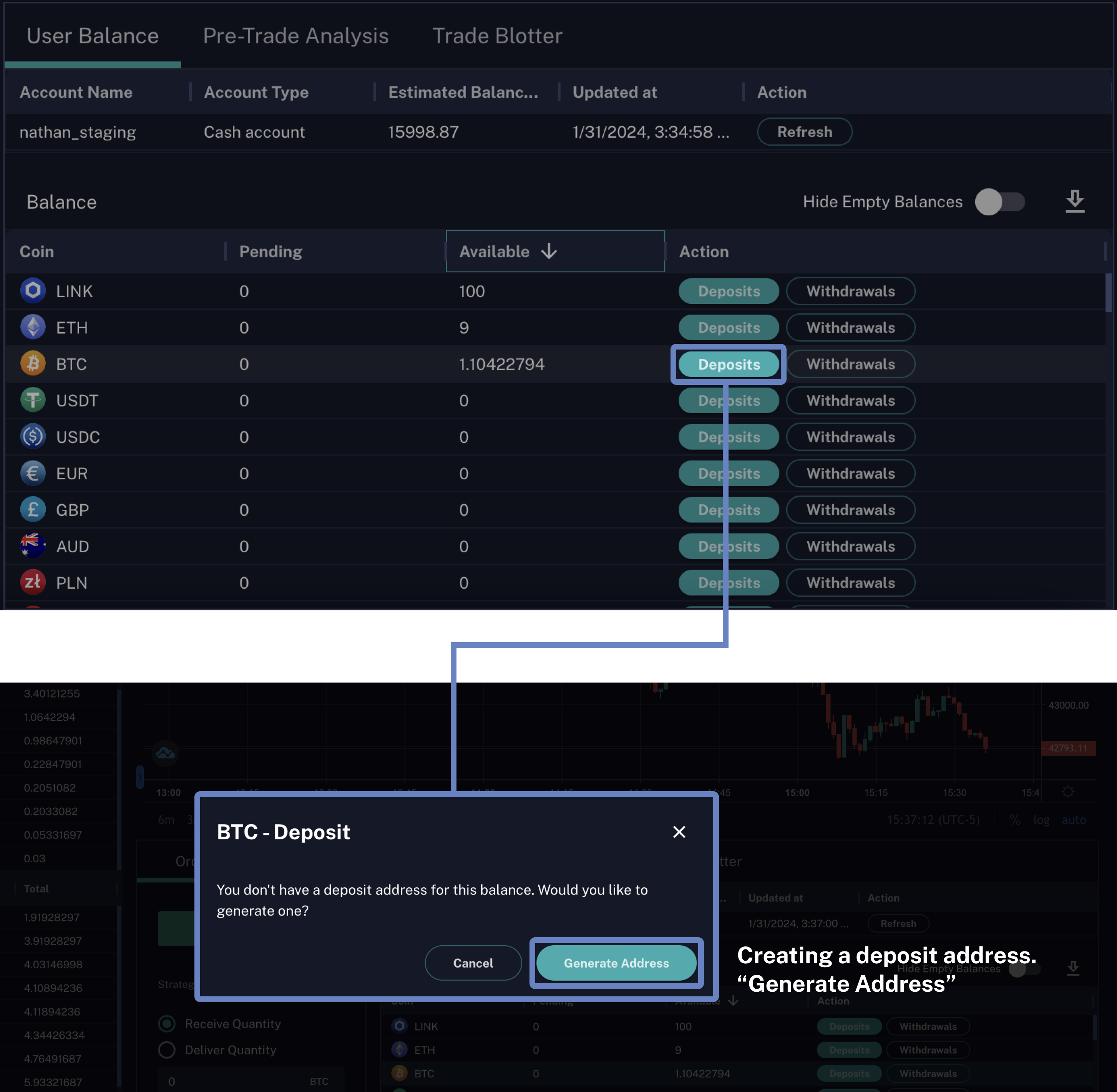
To initiate deposits, first select the Deposits action for a coin. Users without a deposit address will be prompted to generate an address first.
Once a deposit address is created, users can initiate a deposit by sending the correct coin to the displayed deposit address using the address or the QR code.
{% hint style="info" %}
Only use each Deposit Address to send the corresponding symbol. Sending other currencies could result in the loss of deposit.
{% endhint %}
## Withdrawals
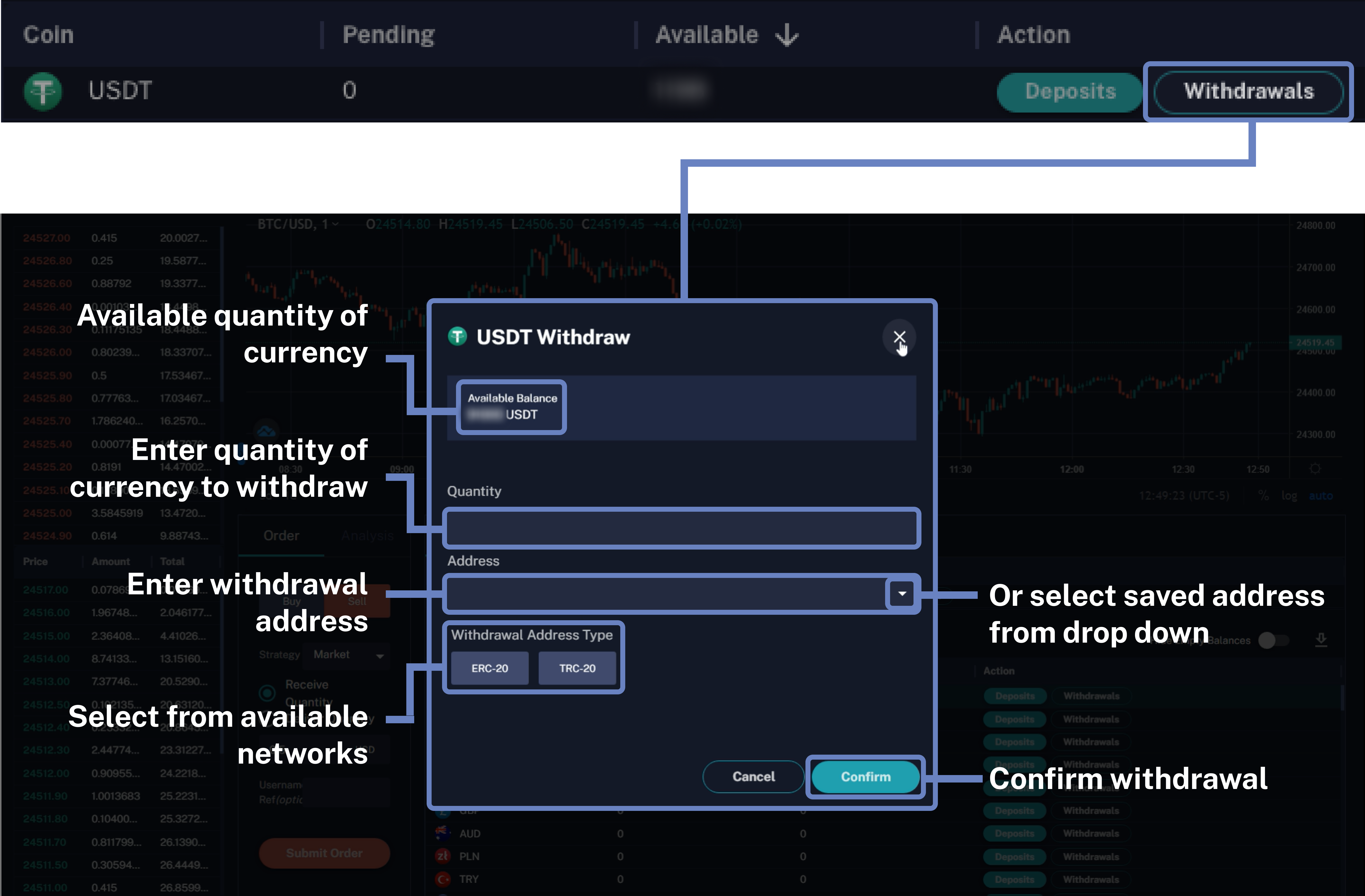
To initiate withdrawals, first select the Withdrawals action for a coin. Users can only withdraw up to the quantity of the available balance.
Users are prompted to enter the quantity, the withdrawal address, and select their desired address type (if multiple network options are available)
#### Saving Withdrawal Addresses
Withdrawal addresses can be saved in the Aquanow Web Portal for future use, and can be selected from the drop down menu as outlined in:
{% content-ref url="/pages/ldpKFpPdqBdPDWhEWn3v" %}
[Address Management](/aquanow/legacy/user-guide/account-management/address-management.md)
{% endcontent-ref %}
#### Exporting Deposit/Withdrawal History
Within the Transactions page, users can export the deposit and withdrawal history. More information about exporting transactions can be found on the [CSV Exports](/aquanow/legacy/user-guide/account-management/csv-exports.md#exporting-deposit-withdrawal-history) page.
.png)
.png)