> For the complete documentation index, see [llms.txt](https://docs.aquanow.io/aquanow/llms.txt). Markdown versions of documentation pages are available by appending `.md` to page URLs; this page is available as [Markdown](https://docs.aquanow.io/aquanow/legacy/user-guide/trading/order-book.md).
# Order Book
Selecting trading pairs, navigating our order book
### Our Order Book
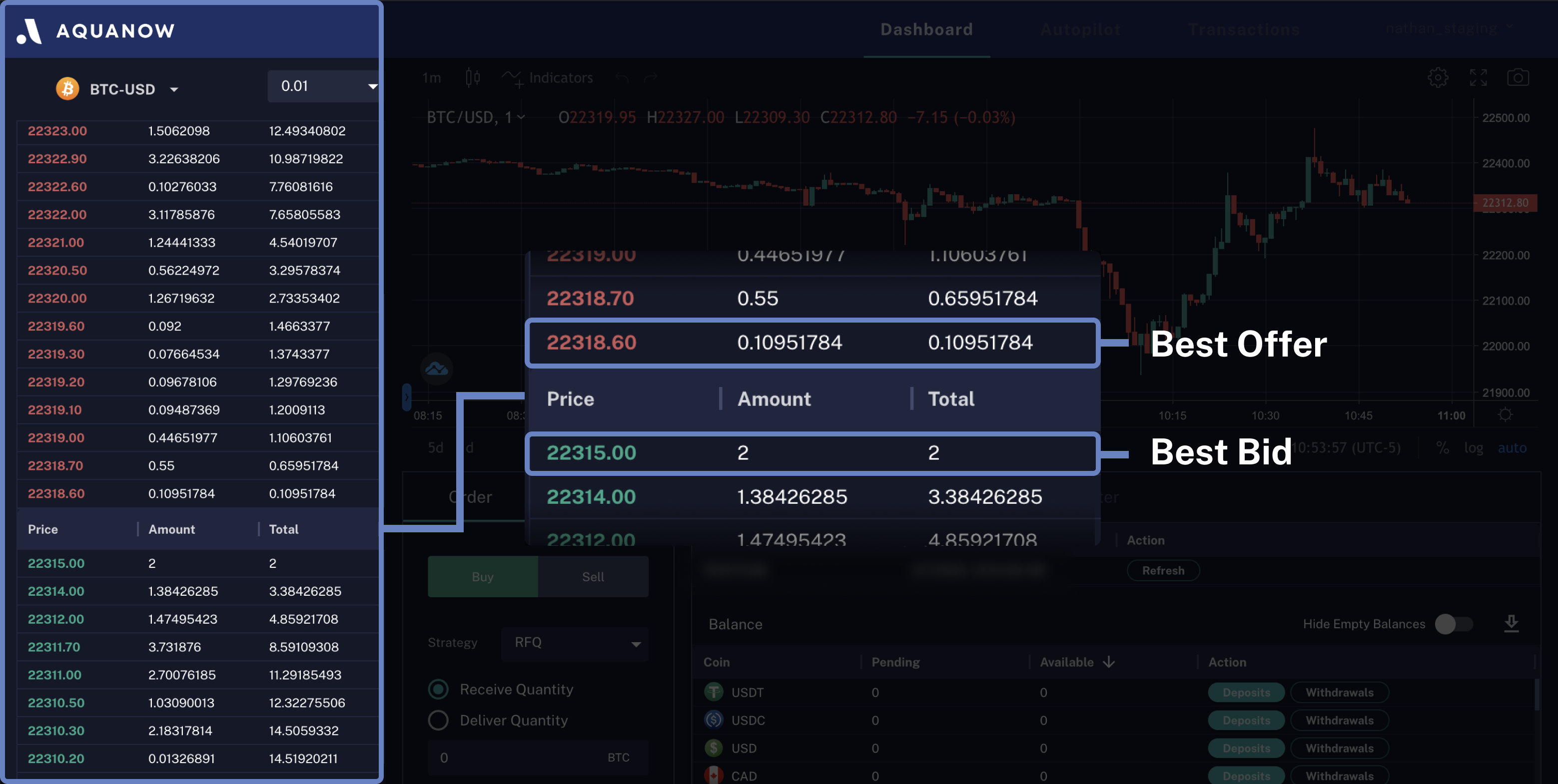
The left side of our main dashboard displays the order book for a selected trading pair.
The order book is organized vertically in a descending Price order. Sell orders (red prices) are displayed above Buy orders (green prices). Each row contains: the Price, the quantity available at that price, and the cumulative quantity available up to that price.
A user-submitted marketable Buy order will execute against the Best Offer first, while a submitted marketable Sell order will execute against the Best Bid first.
Price precision can be adjusted as desired to display grouped or ungrouped liquidity in the order book at the user selected price intervals.
### Selecting Trading Pairs
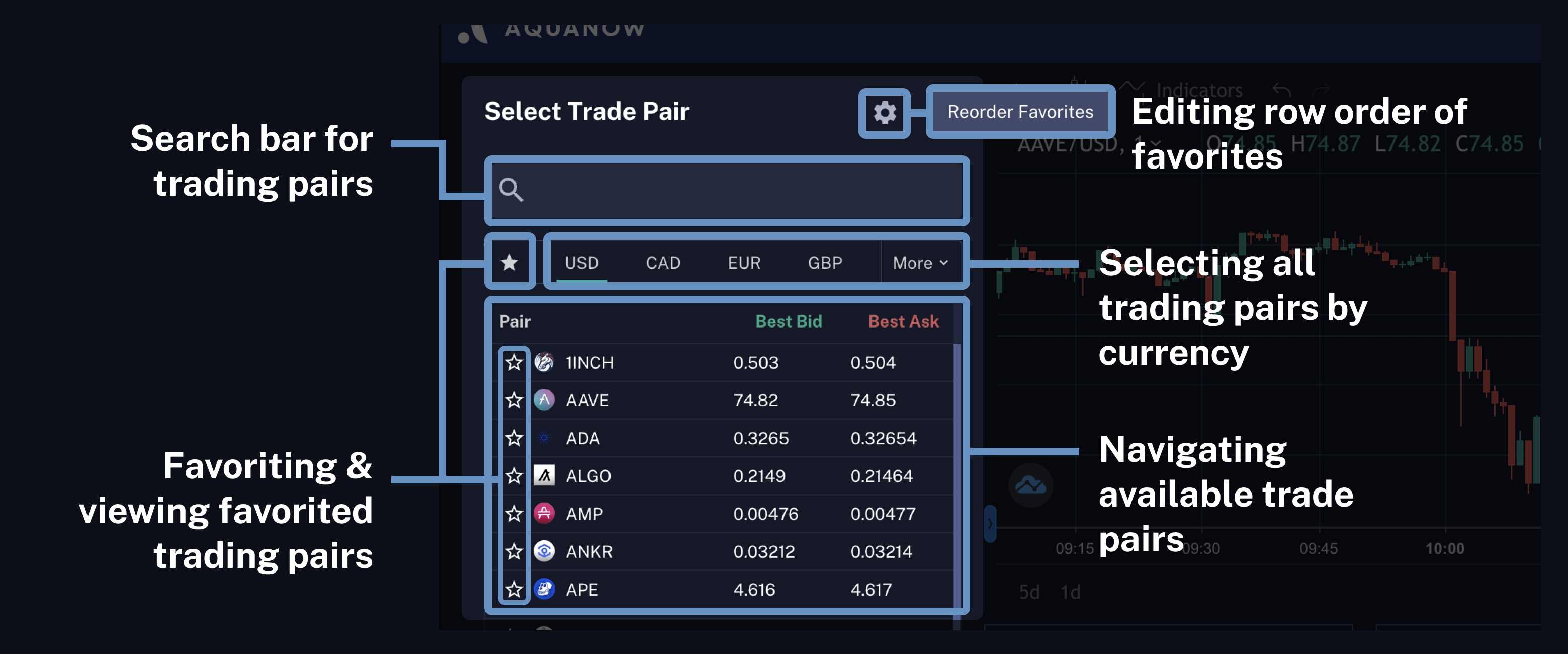
A drop-down menu above the order book allows users to enter or choose a trading pair from the available pairs list.
For frequently used pairs users can also set their favourite pairs by clicking the star (☆) on the left side of each pair. Favourites list can be accessed by clicking the star (☆) below the search bar.